How to Perform Cross-Chain Atomic Swaps Using Komodo Mobile Wallet
Prerequisites
- You need to have funds at least in 1 coin
- The coins you want to swap are activated
- You need to have funds at least in 1 coin
- The coins you want to swap are activated
Instructions
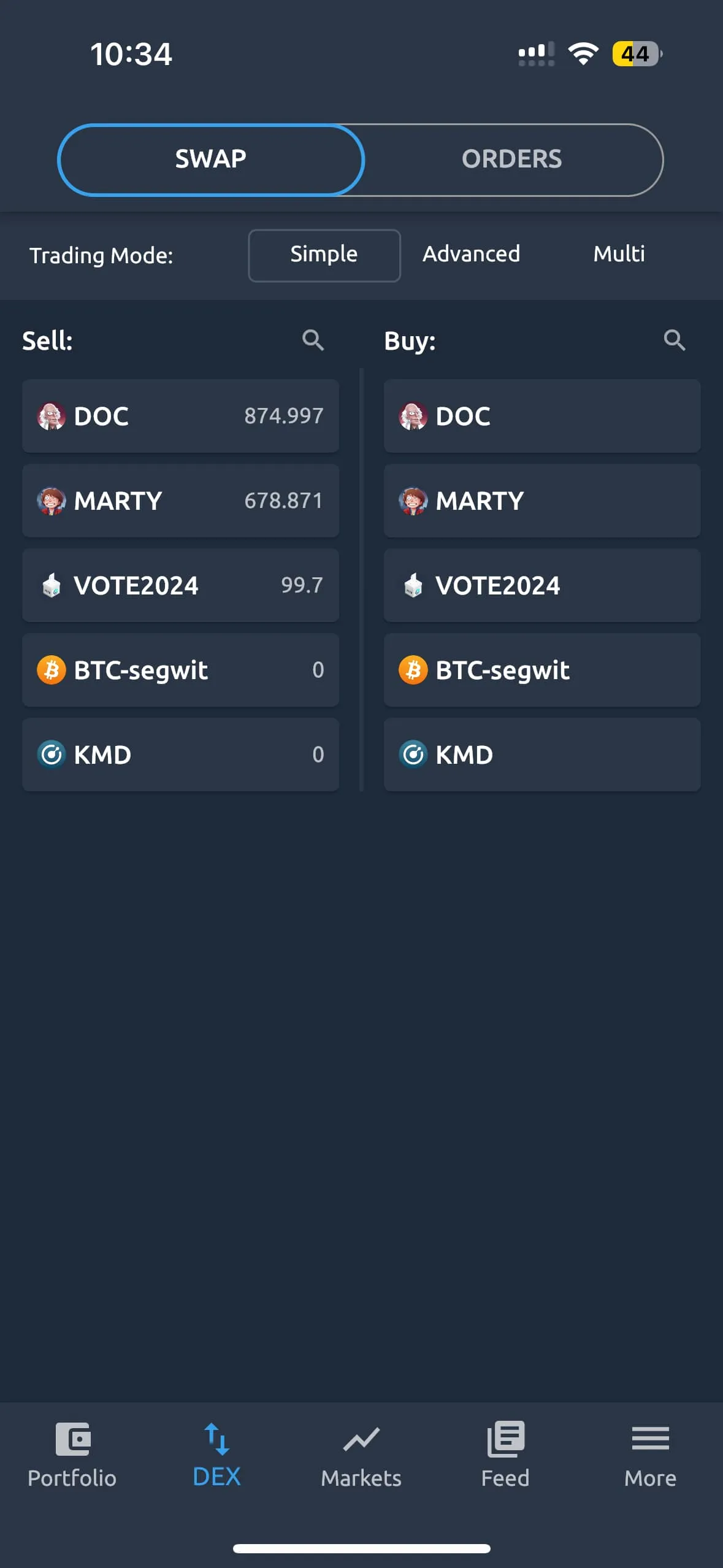
- Click on the “DEX” tab at the bottom of Komodo Mobile Wallet app
This will bring you to the DEX view.
In DEX tab you can perform cross-chain atomic swaps, and view current orders and your swap history.
- Swip left or right to view either option
-
Select the coin you wish to sell and enter the desired amount
-
Select the coin you want to receive for the swap
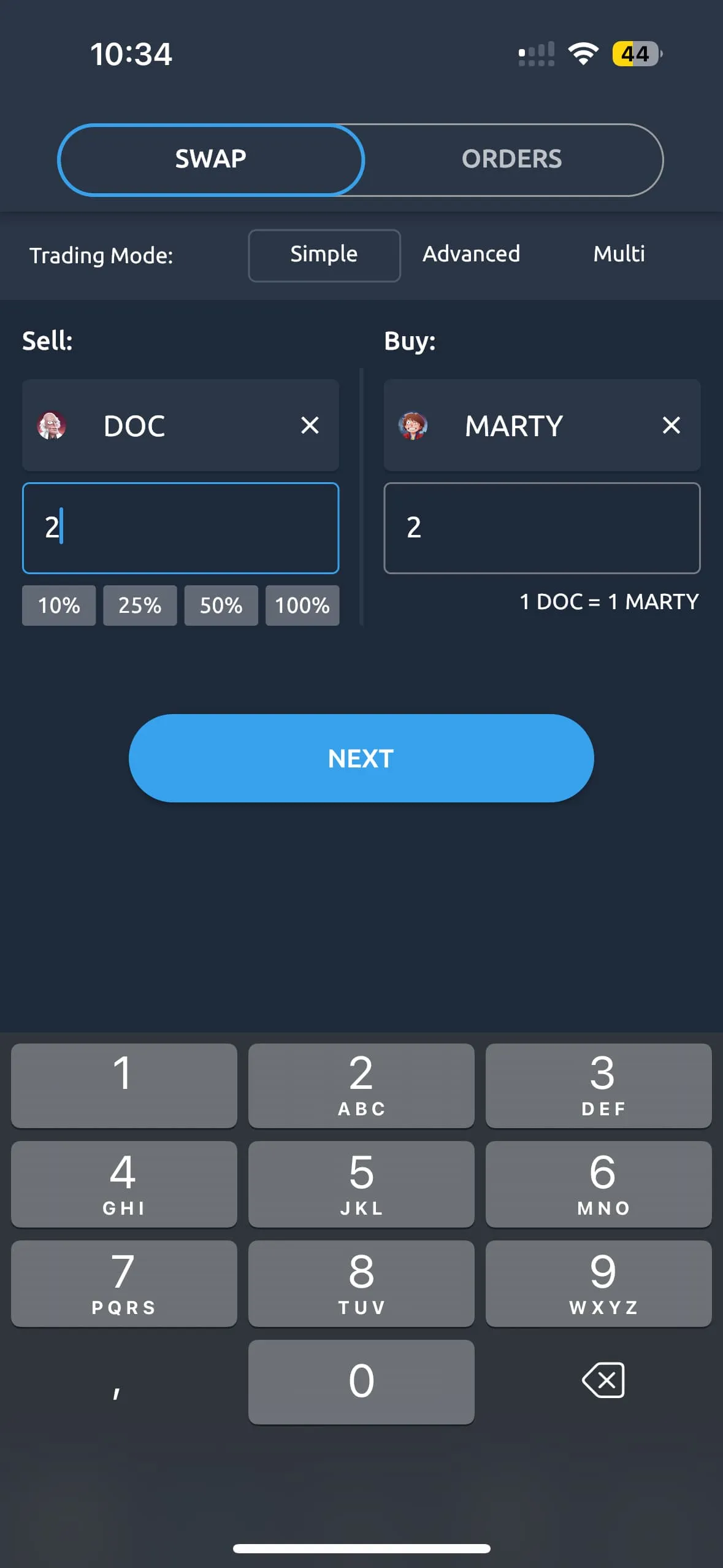
The amount modal will fill automatically, based on the amount you want to sell.
You may also see the best available rate, based on the orders available.
- When ready, click on the “TRADE” button
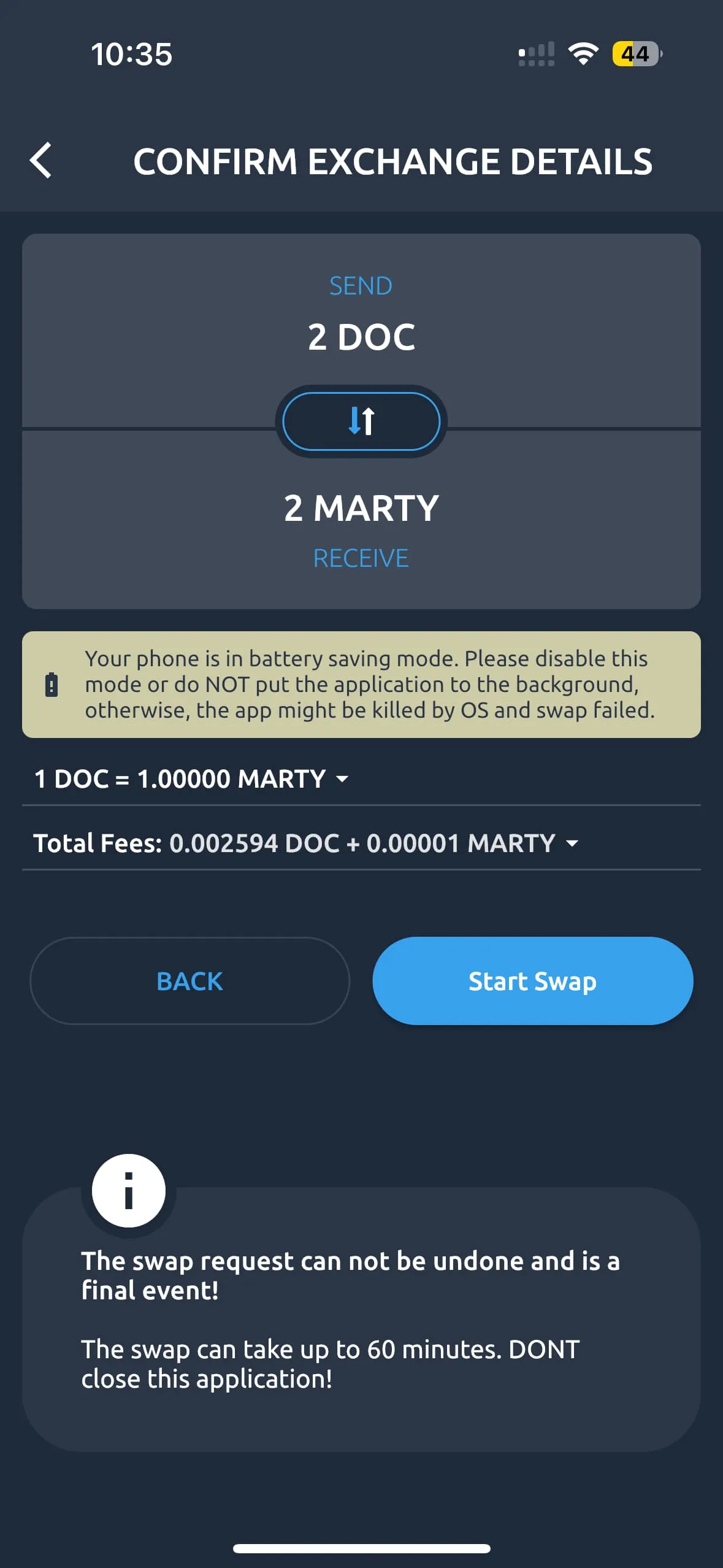
On the next screen you will see details of the swap you are about to perform.
- When ready, press the “CONFIRM” button to begin the swap
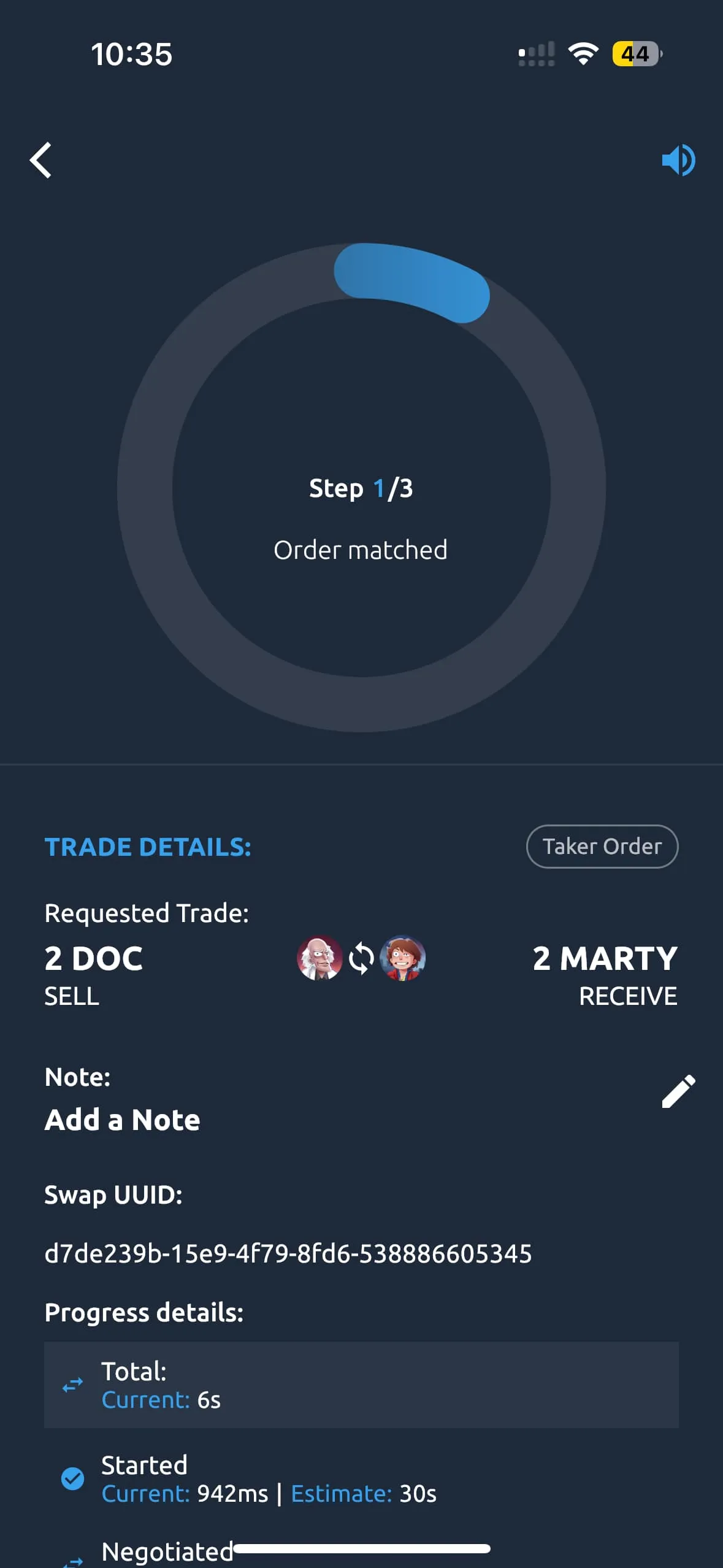
You will see the progress of your swap in this screen.
You may stay on this page until the swap completes, or you may return to another screen. The swap will progress automatically.
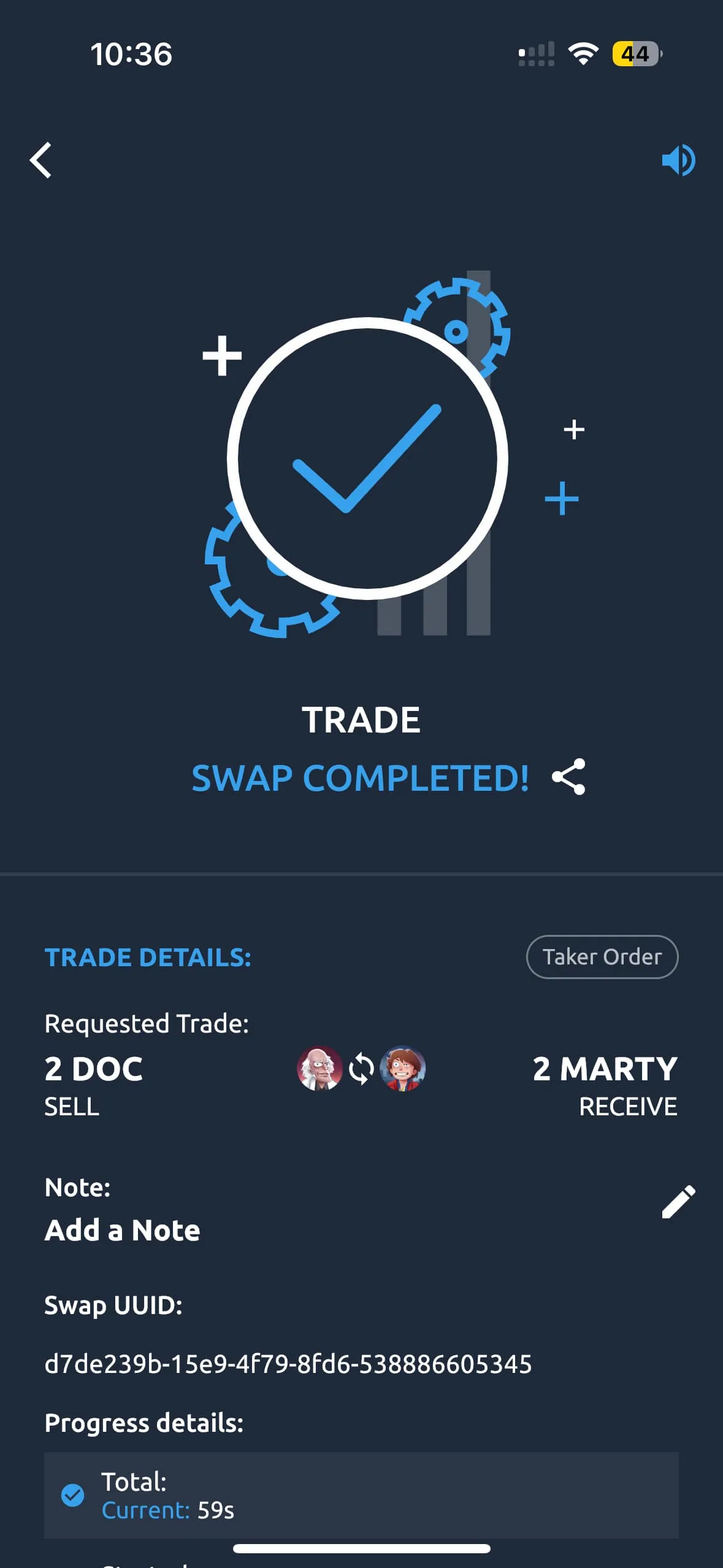
If you are still on the swap monitoring page from before, when your swap completes you will see the following screen.