
How to find the right IBC channel for transfers on Komodo Wallet
This guide will help you find the correct IBC channel for making transfers using Komodo Wallet.
Understanding IBC Channels
Sources to Find the IBC Channel information
Example: Transferring from IRIS to OSMOSIS
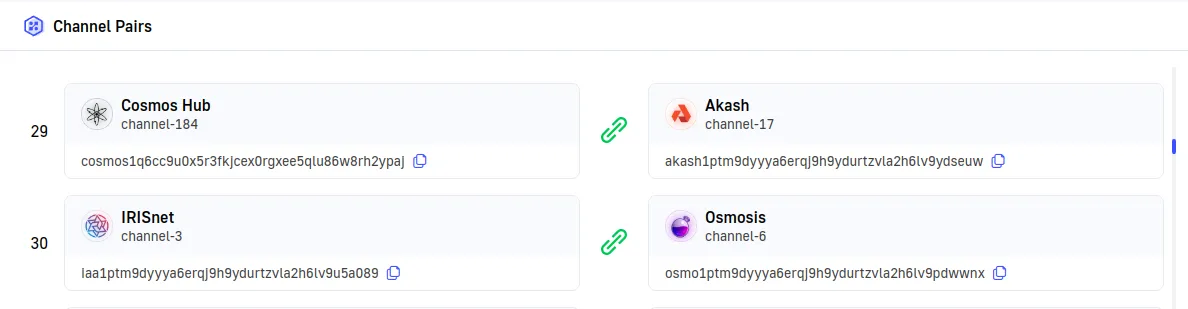
- In Komodo Wallet, select IRIS and open the withdraw form.
- Enter the amount and an OSMOSIS address as the destination.
- Toggle on the “Set IBC channel” option.
- Set the
ibc_source_channelvalue to3(the channel for IRIS in the above image alongside OSMOSIS). - Send your funds.
Verifying Transfers
After initiating a transfer:
- Note the transaction hash provided by Komodo Wallet.
- Use a block explorer for either the sending or receiving chain to track the transaction status.
- Allow some time for the transfer to complete, as IBC transfers may take longer than on-chain transactions.
Staying Updated
- Regularly check for updates to the Komodo Wallet application.
- Join official Komodo community channels to stay informed about any changes to IBC functionality or recommended practices.
By following these steps, you can ensure you’re using the correct IBC channel for your transfers on Komodo Wallet, minimizing the risk of failed transactions or lost funds.
To see the API method used behind the scenes for IBC transfers, refer to the withdraw (v2) method.